
chart:soap:new
Table of Contents
Creating a new encounter
Scheduled Appointments
When the receptionist schedules you for an appointment, an associated encounter is automatically created.
Simply double click on the appointment to go the the chart view to enter your SOAP notes.

Alternatively, you can go to the chart view manually by clicking the “chart” button in the top left blue bar.

Then, switch patients and click on the appointment in your calendar on the left.
Or, click the most recent appointment in your “Encounter history”.

No Appointment
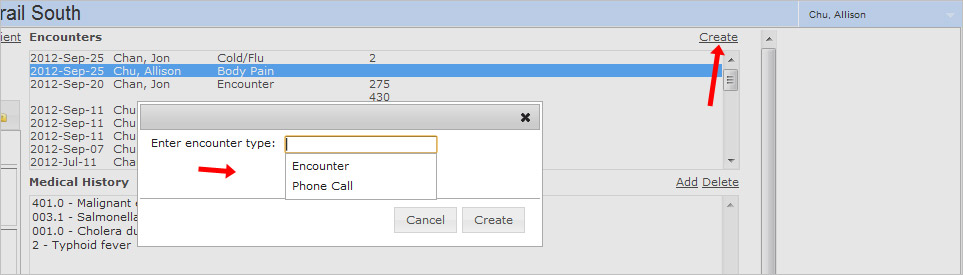
If you have an encounter with no schedule appointment (example phone call), you can click the “create” button in the top right of the visit history window.
This will create an encounter with the current date and time (with no associated appointment in your schedule).
chart/soap/new.txt · Last modified: 2012/09/25 17:22 by jackson


