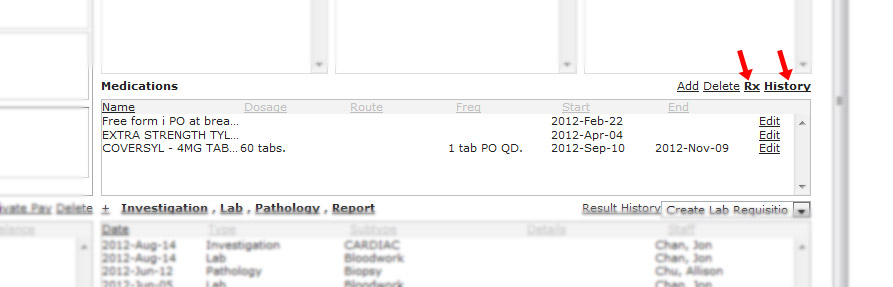
Medications
The patients medications panel is in the right column of the patient chart just underneath the allergies.
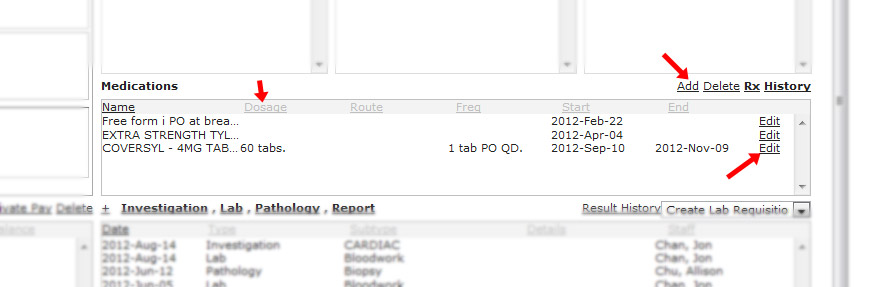
- you can sort by whichever column you which by clicking on the column header. In this example, they are being sorted by name.
- You can add / delete medications.
- You edit medications as well.
- You can also click on “history” to see past expired or deleted medications.
- Clicking on Rx will bring up the prescription writer which we will explain further in the next section.