
chart:prescription_writer
This is an old revision of the document!
Prescription Writer
To access the Prescription Writer, click the Rx link in the upper right corner of the medications panel.
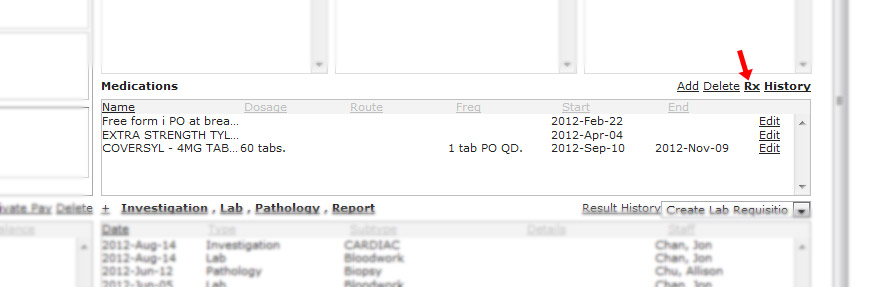
Just as in the medications panel, you can add, delete or edit your medications. When you are ready to generate a prescription:
- Click on which medications you want to prescribe. Click it once to select it. Click it again to deselect it. You can select multiple medications.
- There are also quick buttons for selecting all your medications or clearing your selection.
- When you are done, click the right arrow button.

A window will pop up asking you for refill information. Click refill when you are done filling in the form.

chart/prescription_writer.1348603886.txt.gz · Last modified: 2012/09/25 20:11 by jackson


